[CompanyName] Customer Support -- Tech Note #1
Title of the Technical Note:
Subtitle of the Technical Note
Applies to: [ProductName] Release 1.
Last updated: Saturday January 23, 2010.
SUMMARY
This is a brief description of the problem, and any solutions provided in this article. This is a brief description of the problem, and any solutions provided in this article. This is a brief description of the problem, and any solutions provided in this article. This is a brief description of the problem, and any solutions provided in this article. This is a brief description of the problem, and any solutions provided in this article. This is a brief description of the problem, and any solutions provided in this article.
Note: This is an explanation of an important point.
PROCEDURE
- This is the one-sentence description of Step One.
Whenever file names are mentioned, such as C:\AUTOEXEC.BAT, use the fixed-width character formatting option.
Whenever menu options are mentioned, such as File->Open, use the same technique.
If you need to show the contents of a disk file, place it in a formatted paragraph, and then make it bold so it's obvious where the quoted content begins and ends. Like this:
C:\EZSCSI\MSCDEX.EXE /D:ASPICD0 /M:12
C:\DOS\SMARTDRV.EXE /X
@ECHO OFF
PROMPT $p$g
PATH C:\WINDOWS;C:\DOS
SET TEMP=C:\DOS
Place alternatives or side notes in indented italics like this. For example, you might point out that the user's path options may be different than what is shown above.
Save your changes.
- This is the one-line description of Step Two.
Try to break up steps into a series of short paragraphs. Another good technique is to show the user "before" and "after" snapshots, using either formatted text paragraphs or screen shots.
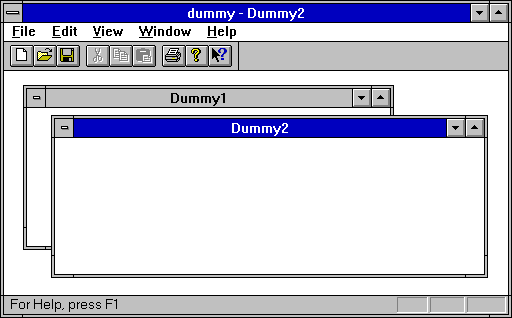
Save your changes.
- This is the one-line description of Step Three.
You have completed the procedure.